
| Home | Downloads | Forum | Support | Prices |
| Features | Tutorials | Blog | About Us | Purchase |
|
|
||||||||||
| Automate your software builds - fast | |||||||||||
|---|---|---|---|---|---|---|---|---|---|---|---|
| |||||||||||
Features of the Build Automator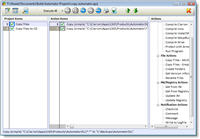
Build ProjectsSet up your build projects in the Project Window. Double click on the available actions on the right to create a project action. Use the list on the left to group your actions in the project into logical project items that you can use independently if you want to. Items can be executed individually, for each project item, or for the entire project. Each item can be completely configured. 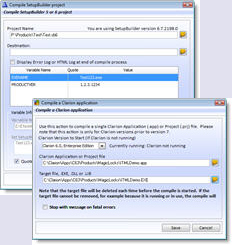
ActionsThe Build Automator includes actions to compile installs using Setup Builder from Lindersoft or the freeware Inno Setup form JRSoftware. It can also compile using Setup Factory and MSI Factory from IndigoRose. Our September release will be able to compile InstallAware projects. The Build Automator also includes actions to compile Clarion applications created in Clarion 6.3 or older. It can also compile any language that can be compiled using MS-Build, including Clarion 7, 8, 9 and 10, Clarion#, Visual Studio 2005-2013 projects and solutions and Delphi 2007 and onward RAD Studio projects. The Build Automator is also fully prepared to protect your programs with Armadillo / Software Passport. Interface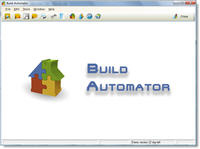
The Build Automator is truly simple to use with a nice, clean interface. Clutter is kept to an absolute minimum to create a constructive working environment. Toolbars, menus and hotkeys make the interface easily accessible for anyone. The interface detects your computer settings and adjusts itself to your resolution and operating system. Documentation / Help / Users GuideThe Build Automator comes with a detailed help file that is accessible anywhere in the program and we have also made it accessible online. We also supply a manual in PDF format that currently is over 180 pages long. We will be improving and adding to the documentation as new features and actions are implemented. You can check the download page to see if we have updated the documentation, and grab the updated documentation when needed. Future PlansWe have a long list of new features for the Build Automator that we will be working on in the future. Please visit our future plans page for more information. |

|