
|
Build Automator Documentation
Copy Files - Multiple |
|
Previous
Top
Next
|
|
|
This action copies a list of files to a selected destination. You can add files to the list or remove files from it and also move individual entries up or down. Please note that there is only one destination folder so if you select files from multiple source folders you may end up with duplicates.
For example:
Source files:
C:\Temp\MyFile.txt
C:\Programs\MyFile.txt
Destination:
C:\Backup
Both of the MyFile.txt will end up as C:\Backup\MyFile.txt, the second copy overwriting the first one unless you uncheck "Overwrite Existing files".
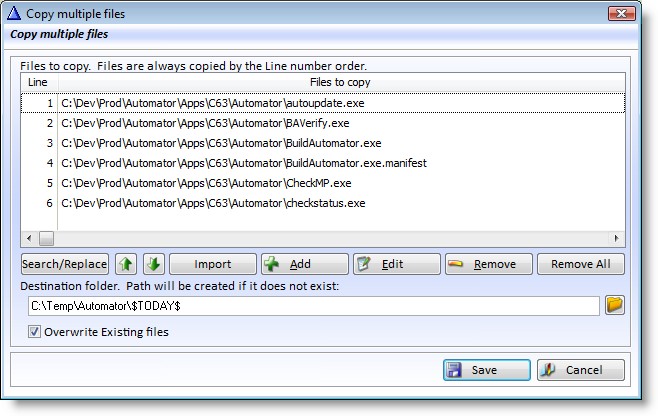
Properties |
Explanation |
Files to copy |
List of source files to copy to the destination. You can use the Add and Remove buttons to add or remove entries in the list and use the up and down arrow buttons to move the files. You can use the + key or the Alt-Down arrow keys to move entries down. You can use the - key or the Alt-Up arrow keys to move entries up. |
Destination |
Single folder destination. See note above about duplicate files. |
Overwrite Existing... |
If this is checked existing files will be overwritten if files with the same name are being copied into the destination folder. |
Use the "Add" button to add one or more file to the list or use the Insert key on the keyboard. To remove a file from the list, use the "Remove" button or use the Delete key on the keyboard. To move the files up and down, use the up/down arrow buttons or use Alt-Up arrow or Alt-Down arrow buttons on the keyboard. To edit the currently selected entry, click on the Edit button or use the Enter key on the keyboard or double click with the mouse. That will bring up an edit window:
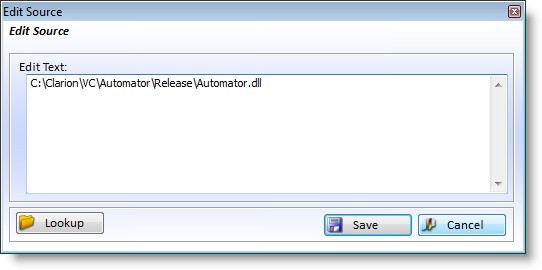
To select a new file, click on the "Lookup" button to bring up a file selection dialog.
You can do a quick search and replace operation on the filenames in the list by using the "Search/Replace" button. It will bring up a simple window where you can enter the text that you want to search for and replace with.
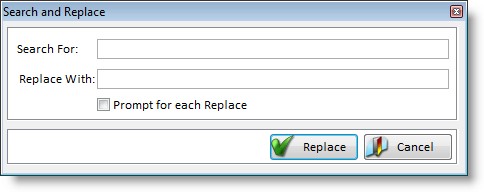
Note that you can of course use variables in both entries. This is an excellent way to set the source of all files to be the same based on a preset variable.
With the Import button you can import a list of files. It opens a window where you can create the list, or past it from the clipboard, or you can select a text file with
a list of filenames.
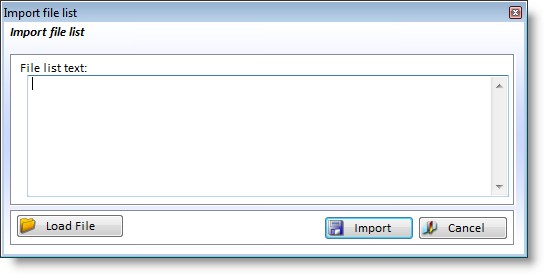
Click on the "Load File" button to select a text file with a list of filenames and the file with the list will be importe dinto the "File list text:" text box.
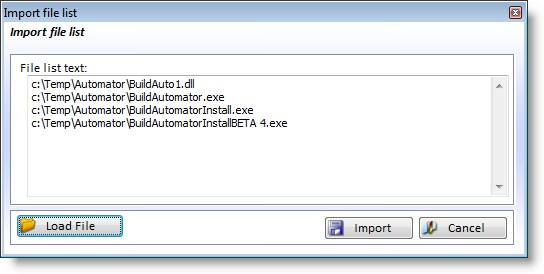
This is how it looks like after selecting a text file called "files.txt" that contained this text:
c:\Temp\Automator\BuildAuto1.dll
c:\Temp\Automator\BuildAutomator.exe
c:\Temp\Automator\BuildAutomatorInstall.exe
c:\Temp\Automator\BuildAutomatorInstallBETA 4.exe
This makes it easy to construct this list from external sources if needed.
The "Files to copy" list can never contain duplicates. When a file is added Build Automator checks first if it already exists in the list. The file is only added if it doesn't exist already. This also applies when using the Import button.
The "Remove All" button will remove all files from the "File to Copy" list, but Build Automator will prompt you to confirm before it removes any files from the list.
